


Does your venue have a unique shape? Most event spaces are not perfect rectangles. You often face structural pillars, walkways, or curved stages. Consequently, you need a flexible way to design your seating charts. We are excited to introduce the new Kill Seat feature for our Event Seating plugin.
This tool solves a common design problem. It allows you to hide specific seats from your customers entirely. However, you can still see them in your admin panel. This makes designing irregular seating layouts incredibly simple. You can now create professional maps that match your venue’s exact reality.
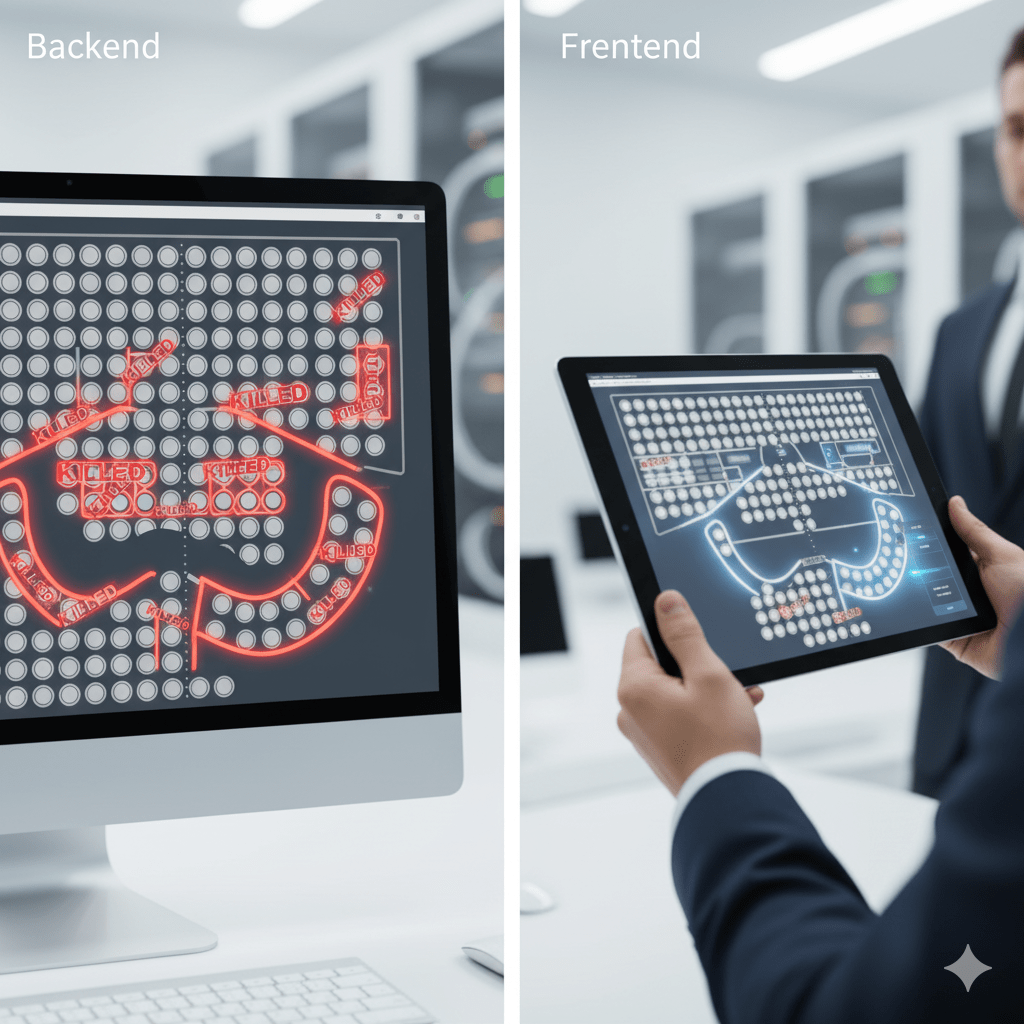
Understanding the Kill Seat Feature
The concept behind this tool is straightforward. Standard seat blocks usually create a perfect grid. For example, a block might have 10 rows and 10 columns. But what if your first row only needs 6 seats?
Previously, this was difficult to build. Now, you can simply “kill” the empty spaces. The Kill Seat feature removes the seat from the frontend view. Your customers will see empty space instead of a bookable circle. This is perfect for creating aisles or accommodating obstacles like sound mixing desks.
Furthermore, this keeps your data clean. The system knows those seats do not exist. Therefore, it will not try to sell them.
Designing Irregular Rows and Shapes
The biggest advantage of this update is aesthetic control. You can now sculpt your seat blocks. This is vital for theatres or stadiums with curved architecture.
Imagine a theatre layout. Row A has 12 seats. Row B has 14 seats. and Row C has 16 seats. You do not need to build three separate rows. Instead, create one large block. Then, use the Kill Seat feature to trim the edges.
Simply click on the corners you wish to remove. The grid remains, but the visual shape changes. This saves you hours of setup time. You can mimic rounded corners, triangular sections, or diagonal walkways with just a few clicks.
How to Use the Kill Seat Tool
Using this new tool is very intuitive. We designed it to work exactly like our “Block Seat” tool.
- Open your Documentation Seating Plan Builder.
- Look for the new “Kill Seats” button in the toolbar. It has a “hidden eye” icon.
- Click the button to activate the mode.
- Select the individual seats you want to hide.
- These seats will turn white with a red outline.
- Save your layout.
Once saved, check your frontend. The marked seats are gone. Your customers will only see the valid, bookable options.
Smarter Logic for Custom Layouts
We went beyond just visual changes. This feature integrates with our smart booking rules. For instance, many venues use an “Orphan Seat” rule. This prevents customers from leaving single, unsold seats.
Our plugin considers killed seats as blocked spaces. If a customer tries to leave a single seat next to a “killed” gap, the system prevents it. This ensures your booking logic remains tight and profitable. You get the flexibility of custom designs without breaking your sales rules. This seamless integration makes WooCommerce management smoother for venue owners.
Conclusion
Your venue deserves a seating chart that looks professional. Do not settle for boring, boxy grids. Use the Kill Seat feature to mirror your actual floor plan. It is fast, easy, and powerful.
Ready to upgrade your event management?
You have two great options to get started today, both of which give you more control and profitability than third-party platforms. Your choice simply depends on the scale of your event.
Choose your path below and start creating your professional seating plan in minutes.