


Are you struggling to map out irregular event venues? Standard squares and circles often fail to represent unique spaces accurately. However, the Editing Points in Polygon Shape feature offers a powerful solution for venue modeling. This tool allows you to break free from rigid grids and design true-to-life floor plans.
By using the Live Event Seating plugin, you can effortlessly customize every corner of your venue. This feature is essential for theaters, angled stages, or outdoor festivals with non-traditional layouts. Consequently, you ensure that your digital seating chart matches reality perfectly.
Unleashing Creativity with Editing Points in Polygon Shape
Real-world venues rarely follow simple geometric rules. Therefore, you need a tool that adapts to your specific needs. The Editing Points in Polygon Shape functionality lets you draw custom zones with total freedom. You are not limited to predefined boxes anymore.
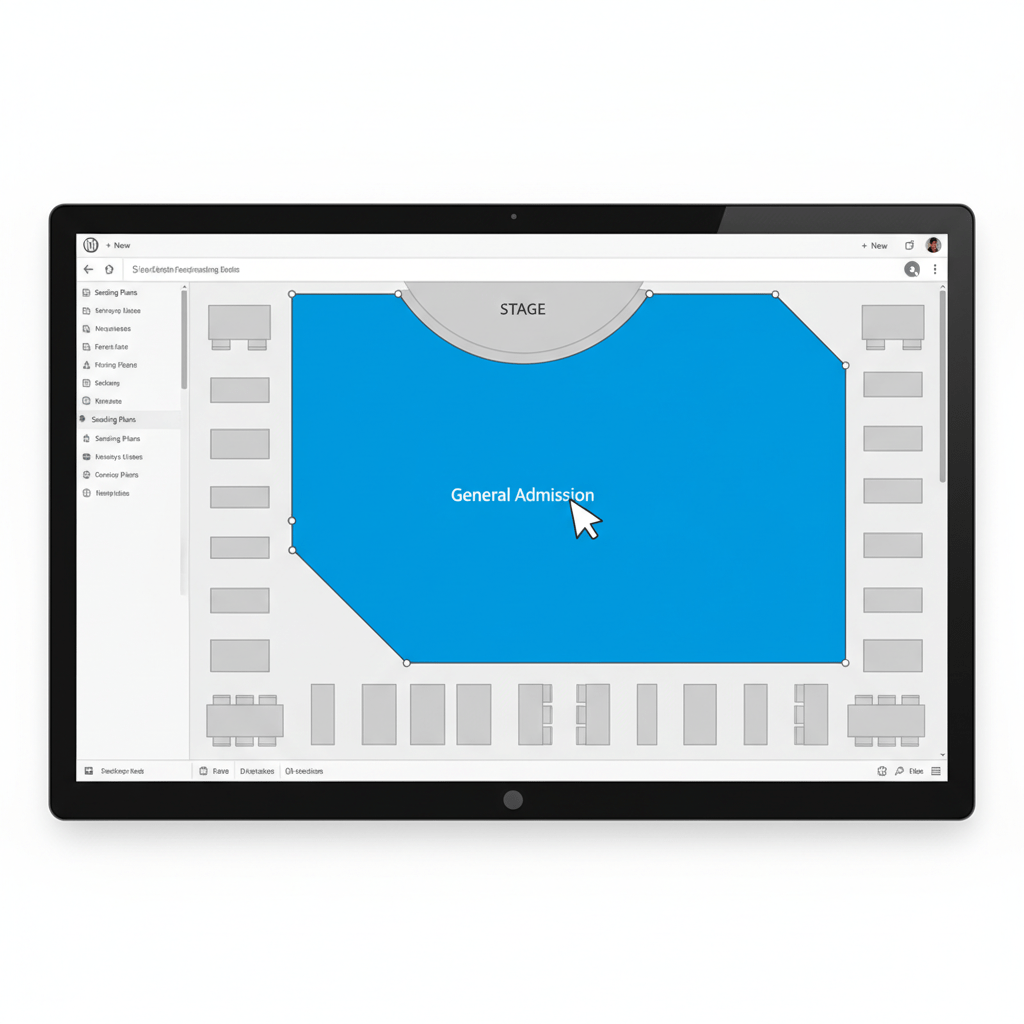
Instead, you can plot complex areas by simply clicking to add control points. Afterward, you can drag these points to shape the zone exactly how you want. This is perfect for defining General Admission (GA) standing areas or VIP zones that wrap around architecture. Furthermore, this precision creates a professional look that impresses ticket buyers immediately.
Designing Irregular Venue Areas Easily[1]
Accuracy is crucial for a smooth booking experience. If your map looks wrong, customers might feel confused. Fortunately, adjusting irregular venue areas is simple with our intuitive builder. You create a “digital twin” of your room in minutes.
First, select the polygon tool from your toolbar. Next, click on the canvas to draw the rough outline of your section. Once the shape exists, the real magic begins. You can grab any vertex and move it to a new position. This flexibility allows you to mimic curved walls or angled corners without coding.
Perfecting Custom Zones and Sections[1]
Detailed maps help you sell more tickets.[1] When users understand the layout, they buy with confidence. Using the Editing Points in Polygon Shape capability ensures no space goes to waste. You can maximize capacity by fitting seats into unique nooks.
Additionally, this feature supports hybrid seating arrangements.[1] You might have reserved rows in the center and a custom polygon shape for standing guests at the back. The plugin handles both seamlessly.[1] Thus, you optimize your revenue potential by utilizing every square foot of the available space.
For more information on setting up your store, check out the official WooCommerce documentation.
Conclusion
In summary, the Editing Points in Polygon Shape feature transforms how you manage event layouts. It provides the flexibility needed for modern, complex venues. Don’t settle for basic grids when you can offer a premium, accurate visual experience.
Ready to take full control of your venue design?
You have two great options to get started today, both of which give you more control and profitability than third-party platforms. Your choice simply depends on the scale of your event.
Choose your path below and start creating your professional seating plan in minutes.