


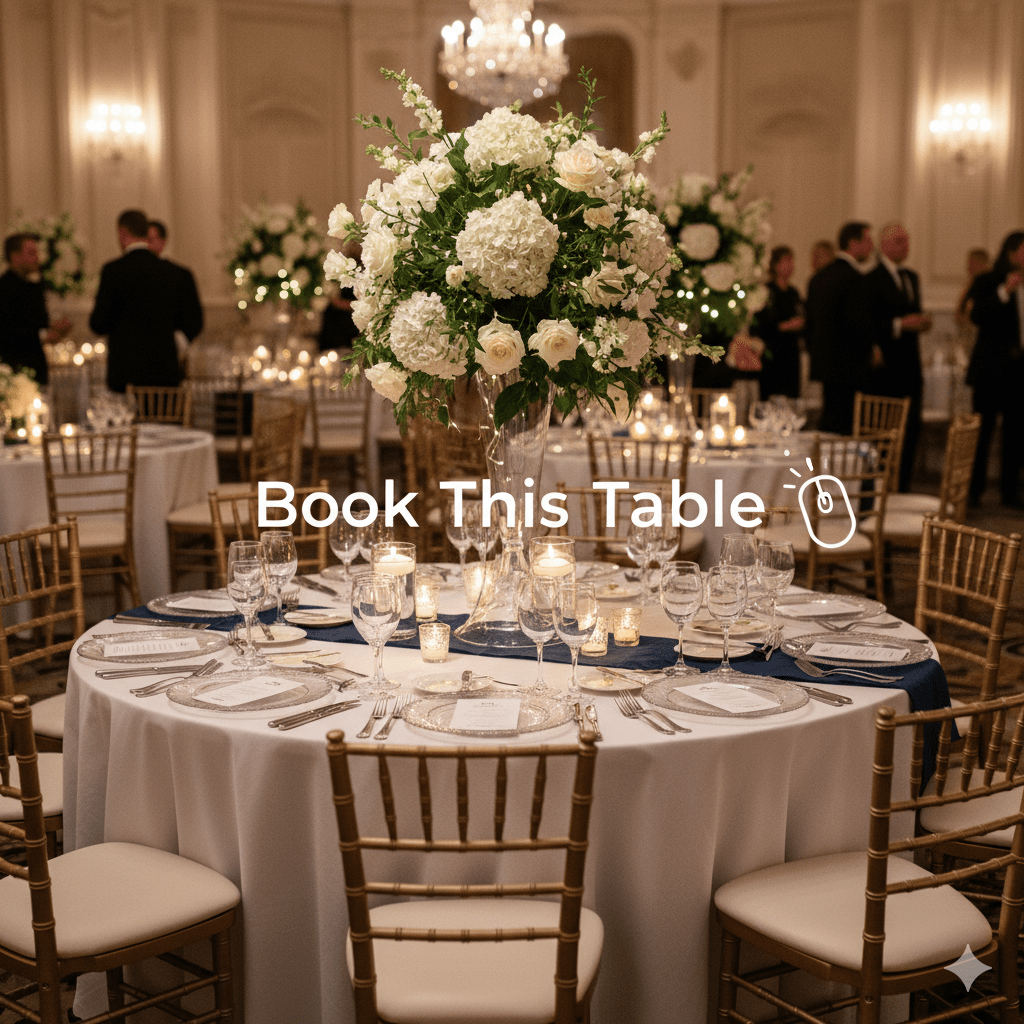
Banquet hall table booking in WordPress is one of the most common event use cases — and one of the worst served by generic online booking tools. Most banquet hall inquiries still go through phone, email, and PDF floor plans: a customer calls, gets sent a plan, picks a table, calls back to confirm, and waits days for a manual confirmation. For a venue hosting 3–5 events per week, that’s an enormous operational burden and a significant source of lost bookings from customers who don’t want to wait. Banquet hall table booking in WordPress through Live Event Seating turns the entire flow into a self-service experience: visual floor plan, WooCommerce checkout, automatic QR confirmation — no phone call required.
Building Your Banquet Hall Floor Plan
The drag-and-drop builder supports the full range of banquet hall furniture configurations:
Round tables — the standard banquet format. Add a round table, set the number of seats (6, 8, 10, 12), choose a fill color, and position it on the canvas. Seat circles appear automatically around the outside of the table. Labels can be numbers or letters.
Rectangular tables — for long head tables, top-table wedding arrangements, or classroom-style conference setups. Set width, height, and seat arrangement (top only, bottom only, both sides, all sides).
Mixed layouts — a banquet hall hosting a formal dinner might have round guest tables in the centre, a rectangular head table at the front, and a separate standing reception area near the bar. All three can coexist on the same floor plan.
Non-bookable elements — add a stage, dance floor, bar area, or buffet zone as visual reference elements. These appear on the map so customers understand the room layout but can’t be booked.
Text labels — name sections (e.g. “Gold Tables”, “Standard Tables”, “Family Zone”) so customers know the zone hierarchy before selecting.
Two Booking Modes for Banquet Tables
Individual Seat Booking (Guests Choose Their Exact Chair)
Each seat circle around the table is independently bookable. Customers pick specific chairs — useful for family groups who want to control exactly who sits next to whom, or for events where the venue assigns individual place settings.
Whole Table Booking (One Click, Full Table)
Enable Whole Table Booking on any table. The individual seat circles disappear — the entire table becomes a single clickable element. One click selects the whole table, and the cart shows a single line item (“Table 7 — 10 seats — £650”). This is the correct mode for corporate table sales, sponsor packages, and family group bookings at weddings and galas.
You can mix both modes on the same floor plan — some tables available seat-by-seat, others available as whole-table packages — on the same seating chart.
Table Pricing for Banquet Halls
Banquet halls typically have multiple table tiers:
| Zone | Configuration | Price |
|---|---|---|
| Premium tables (near stage/dance floor) | Round, 10 seats | £1,200/table |
| Standard tables (main floor) | Round, 8 seats | £75/seat or £560/table |
| Budget tables (rear) | Round, 6 seats | £55/seat or £300/table |
| Head table | Rectangular, reserved | Included in venue hire |
Using WooCommerce variable products, each zone is assigned its own price tier. A customer who selects a Premium table is automatically charged the Premium price. No manual price calculation. No risk of the wrong price being applied.
What the Customer Sees
When a customer visits your event booking page:
- The interactive floor plan loads — a visual map of the banquet hall with tables color-coded by tier and availability
- Available tables show in their configured color (green by default); booked tables show in grey
- They hover a table to see a tooltip: “Table 5 — Seats: 10 — Price: £75/seat”
- They click the table (or seat, in individual mode) — it highlights in amber
- The sidebar shows their selection with total price
- They proceed to the standard WooCommerce checkout
After payment, they receive a confirmation email with their table number, seat details (if applicable), event date/time/venue, and a QR code for check-in.
On Event Day: Check-In for Banquet Guests
The QR scanner in the WordPress admin handles check-in. For whole-table bookings, one QR code covers the entire table — scanning it marks all seats at that table as checked in and shows the table number on screen.
The Booking Manager dashboard (Basic and Pro plans) gives you a real-time attendee list sorted by table, searchable by name or table number. For the catering team, export a CSV filtered to the event for a headcount and dietary breakdown.
Why This Beats Phone and Email Booking
| Manual Process | Online Self-Service |
|---|---|
| Staff answers phone, checks availability | Customer checks live floor plan themselves |
| Staff emails PDF floor plan | Customer sees interactive map instantly |
| Customer calls back to confirm table | Customer books and pays in one session |
| Staff sends manual confirmation | WooCommerce sends automatic confirmation + QR |
| Staff builds door list from email chain | Booking Manager shows live attendee list |
| Revenue tracked in a spreadsheet | Revenue tracked in WooCommerce analytics |
The manual process works. But it costs staff time at every step and loses bookings from customers who don’t want to wait for an email reply.
Let banquet customers pick and book their table online — without calling you. Get Live Event Seating → Starting from $49.99/year · 14-day money-back guarantee · 0% per-ticket commission
Ready to Keep 100% of Your Ticket Sales?
The Live Event Seating Plugin integrates with WooCommerce, giving you a powerful seating chart builder with zero per-ticket fees.