


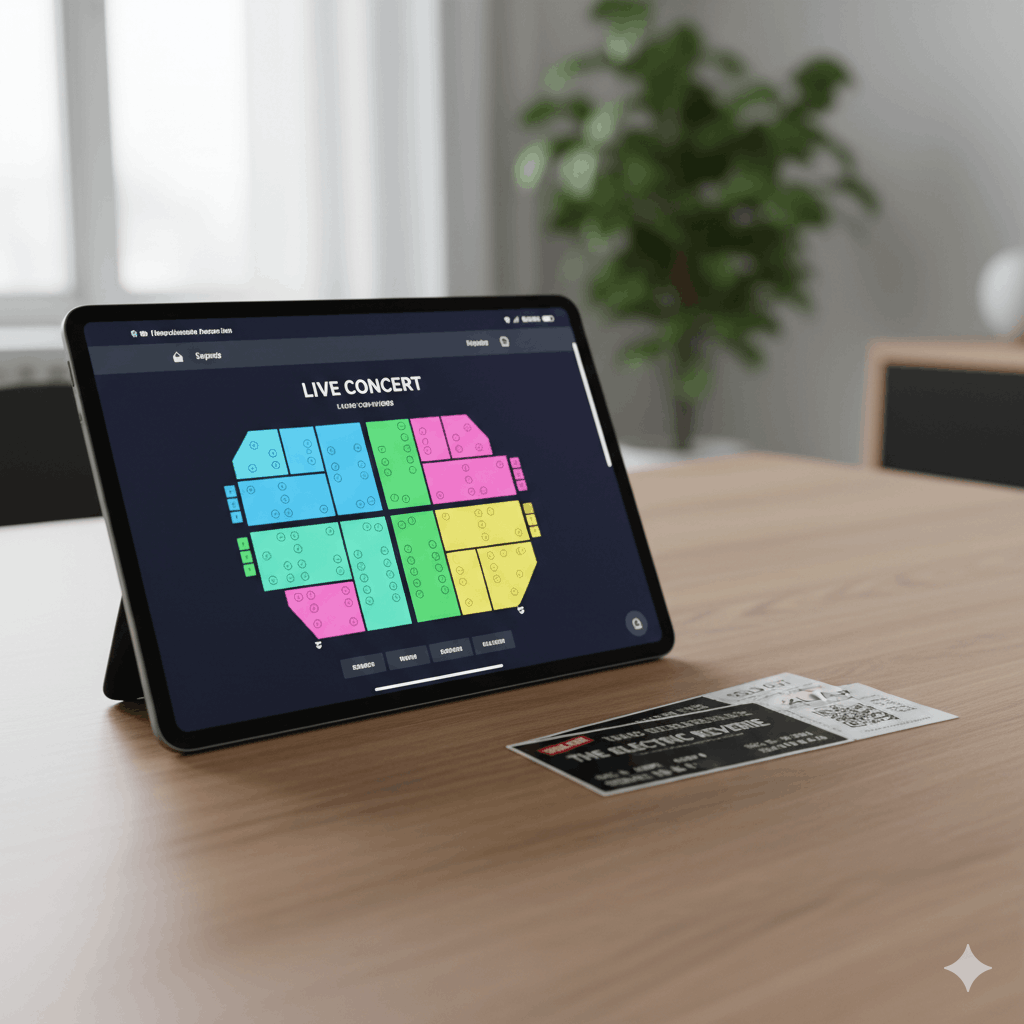
If you run events on a WordPress site and you need customers to pick their own seats, choosing the right event ticketing with seat selection plugin is critical — and you have more options in 2026 than ever, along with more ways to pick the wrong one.
Some platforms charge per ticket. Some require multiple plugins to work. Some are free but lack WooCommerce integration. Some have great seat builders but weak ticketing. This guide compares the real options honestly so you can make the right choice for your venue.
What to Look for in a Seat Selection Ticketing Solution
Before comparing tools, it’s worth being clear about what actually matters for a working system:
- Visual seat map — customers need to see and click a real layout of your venue, not pick from a dropdown
- WooCommerce or native payment integration — payments need to be reliable, with proper order records
- Double-booking prevention — seat locking or reservation holds are non-negotiable for live sales
- Mobile usability — the majority of ticket buyers are on phones
- QR code ticketing — you need a way to verify tickets at the door
- Price vs. ongoing cost — per-ticket fees compound significantly at scale
1. Live Event Seating (WooCommerce Plugin)
Best for: WordPress-based venues wanting a complete, self-hosted solution with no per-ticket fees
Live Event Seating is built specifically for event organizers who want the full feature set of a professional ticketing platform running entirely on their own WordPress site.
What it does well:
- Drag-and-drop venue builder with tables, seat rows, GA areas, stages, and free-form shapes
- Native WooCommerce integration — payments, order management, and email all through WooCommerce
- Seat locking the moment a seat is added to cart, with a configurable countdown timer
- QR code scanner built into the WordPress admin — use any device with a camera
- Tiered pricing via WooCommerce variable products (e.g. VIP vs Standard pricing on the same chart)
- Events Calendar and Events Manager integration
- Booking manager dashboard with search, filter, and CSV export
- Pro features: GA areas, sections mode, waitlist system, group booking, seat transfers, ticket template builder
Pricing: Starter $49.99/year (1 site), Basic $96.99/year (5 sites), PRO $194.99/year (unlimited sites). Zero per-ticket commission.
Best fit: Theaters, gala dinner venues, conference centers, wedding halls, combat sports promoters, corporate events — any WordPress site running 100 to 10,000 ticket sales per year.
2. SeatReg (Free WordPress Plugin)
Best for: Small events, nonprofit registrations, non-commercial use
SeatReg is a free, open-source plugin with a capable map builder and registration system. It’s a strong option if you don’t need WooCommerce integration and your events are free or handled outside of the plugin’s payment flow.
What it does well:
- Free and open source
- Map builder with seats, legends, and custom colors
- Custom registration fields
- Export to PDF, XLSX, and CSV
- Calendar mode for recurring registrations
- 11 language translations
Limitations:
- Not natively integrated with WooCommerce — paid ticket sales require additional setup
- No built-in QR scanner
- Support is community-based, not commercial
Best fit: Schools, churches, clubs, and nonprofits running free or low-volume events where WooCommerce integration is not required.
3. Stachethemes Seat Planner
Best for: WooCommerce stores wanting a clean per-product seat selector
Stachethemes has a free Lite version on WordPress.org and a premium version with extended features. It’s product-focused rather than event-focused — you create seat maps per WooCommerce product rather than per event.
What it does well:
- WooCommerce-native seat selection per product
- seat reservation plugin for WooCommerce with cart timer
- QR code per seat (not per order)
- Handicap accessible seat marking
- Mobile app for Android ticket scanning (premium)
- CSV import/export of seat layouts
Limitations:
- Seat map is per-product, not per-event — less flexible for multi-event management
- Drag-and-drop builder is less visual than venue-specific tools
- No native Events Calendar or Events Manager integration
- Advanced features (date selection, custom fields, bulk actions) are premium only
Best fit: WooCommerce stores selling seat-based products (e.g., cinema screenings, venue hire) where the product structure fits the WooCommerce product model.
4. Tickera (with Seating Charts add-on)
Best for: Established Tickera users who already use the plugin ecosystem
Tickera is a full-featured ticketing system for WordPress with assigned seating available as a premium add-on. If you’re already in the Tickera ecosystem, adding the Seating Charts add-on is a logical extension.
What it does well:
- Comprehensive standalone ticketing system
- Bridge for WooCommerce add-on available
- iOS/Android check-in apps (Checkinera)
- Custom forms for attendee data collection
Limitations:
- Seating charts require an additional paid add-on on top of the base plugin
- WooCommerce integration is also an add-on (Bridge for WooCommerce), not native
- Cost compounds if you need multiple add-ons
- Less focused on visual venue building vs. ticketing management
Best fit: Large events that need attendee management, custom forms, and are already committed to the Tickera platform.
5. The Events Calendar + Seating (SaaS add-on)
Best for: Heavy The Events Calendar users with budget for a recurring SaaS cost
The Events Calendar recently launched a Seating add-on that connects your WordPress site to a hosted seat builder service. It integrates cleanly with their existing ecosystem.
What it does well:
- Native integration with The Events Calendar
- Clean, modern seat map builder via their SaaS platform
- WooCommerce compatible
Limitations:
- Requires a separate ongoing SaaS subscription — the seat builder is cloud-hosted, not self-hosted
- Your seating data and builder access depend on that subscription remaining active
- Not suitable if you want full data ownership and local control
Best fit: WordPress users already invested in The Events Calendar ecosystem who are comfortable with a subscription-based SaaS dependency.
Side-by-Side Comparison
| Feature | Live Event Seating | SeatReg | Stachethemes | Tickera + Add-on |
|---|---|---|---|---|
| WooCommerce native | ✅ | ❌ | ✅ | Add-on required |
| Visual drag-and-drop builder | ✅ | ✅ Basic | ✅ | ✅ |
| QR scanner in WordPress admin | ✅ | ❌ | ✅ Premium | ✅ App required |
| GA areas | ✅ Pro | ❌ | ❌ | ❌ |
| Seat locking/cart timer | ✅ | ❌ | ✅ | ✅ |
| Waitlist system | ✅ Pro | ❌ | ❌ | ❌ |
| Per-ticket commission | ❌ None | ❌ None | ❌ None | ❌ None |
| Events Calendar integration | ✅ Pro | ❌ | ❌ | ❌ |
| Self-hosted (no SaaS) | ✅ | ✅ | ✅ | ✅ |
| Starting price | $49.99/yr | Free | Free / Premium | Multiple add-ons |
Which One Should You Choose?
If you run WordPress events and need WooCommerce payments with a proper visual seat map and QR check-in: Live Event Seating is the most complete self-hosted solution.
If your events are free or non-commercial and WooCommerce integration isn’t needed: SeatReg is excellent and costs nothing.
If you’re a WooCommerce store selling seat-based products rather than running events: Stachethemes is a solid option.
If you’re already deep in the Tickera ecosystem: Add the Seating Charts add-on rather than switching platforms.
Ready to try the most complete self-hosted option? Get Live Event Seating → Starting from $49.99/year · 14-day money-back guarantee · 0% per-ticket commission
Ready to Keep 100% of Your Ticket Sales?
The Live Event Seating Plugin integrates with WooCommerce, giving you a powerful seating chart builder with zero per-ticket fees.