

Eventbrite is the default choice for many event organizers—until the per-ticket fees start adding up. Live Event Seating is a self-hosted WordPress alternative with 0% commission and full reserved-seating tools.
This Eventbrite alternative for WordPress compares them side-by-side so you can decide with real numbers.
The Short Answer: Eventbrite Alternative for WordPress
Eventbrite charges 3.7% + $1.79 per paid ticket, plus payment processing. Live Event Seating charges a flat yearly fee ($49.99–$194.99) with 0% commission, and runs on your own WordPress site through WooCommerce.
For a venue selling 5,000 tickets at $50 each, that’s the difference between paying $10,442 to Eventbrite and $194.99 to Live Event Seating—before payment processing.
👉 Calculate your exact Eventbrite fees →
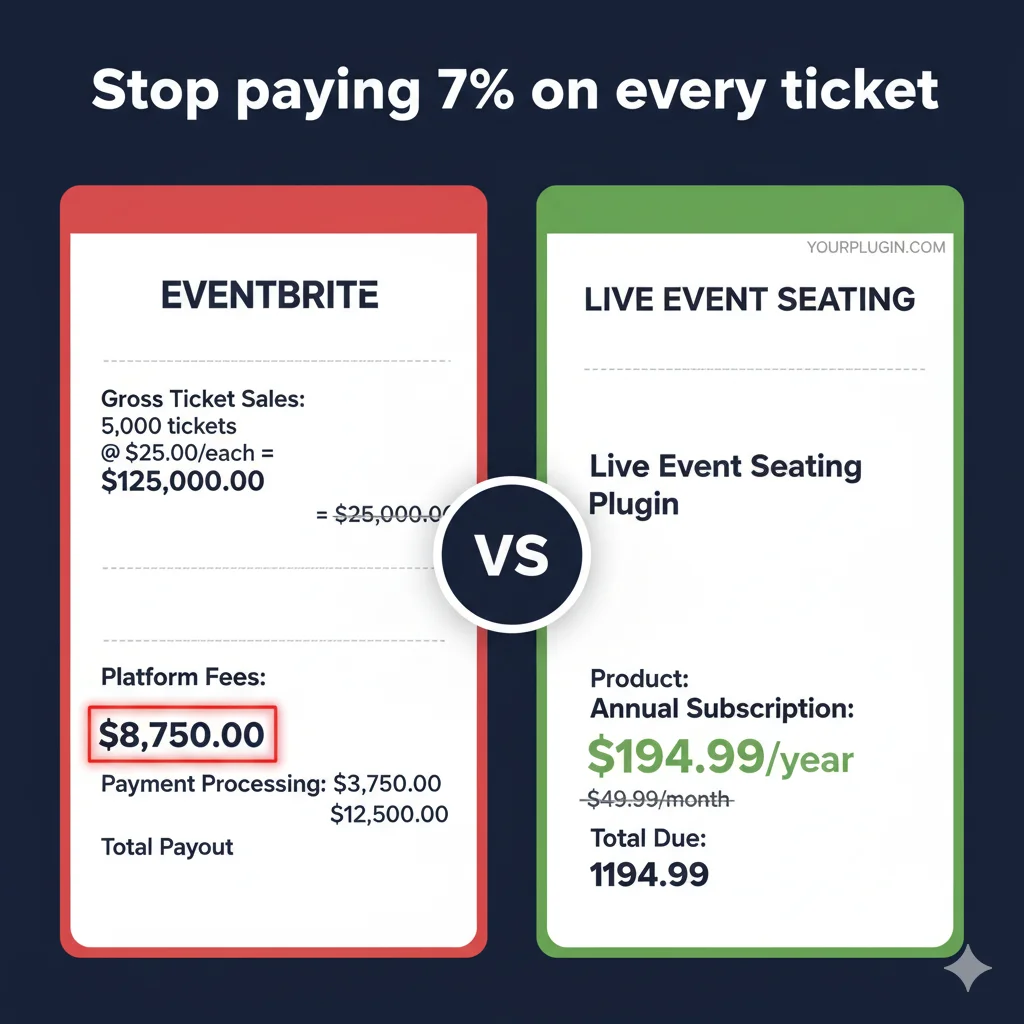
Fee Comparison
Here’s what 5,000 tickets at $50 costs you annually on each platform:
Eventbrite | Live Event Seating | |
|---|---|---|
| Per-ticket platform fee | 3.7% + $1.79 | 0% |
| Payment processing | ~2.9% + $0.30 | Your own gateway (~2.9%) |
| Annual cost (5,000 tickets @ $50) | $10,442 | $194.99 + processing |
| You keep annually | ~$239,558 | ~$249,805 |
| You save | — | $10,247 |
Based on standard Eventbrite pricing and standard Stripe processing rates.
Feature Comparison
Fees matter, but so does functionality. Here’s how the two stack up on the features venues actually use.
| Feature | Eventbrite | Live Event Seating |
|---|---|---|
| Reserved seating with seat map | Basic (paid upgrade) | ✅ Full drag-and-drop builder |
| WooCommerce integration | ❌ | ✅ Native |
| Custom payment gateway | ❌ (forced to use theirs) | ✅ Stripe, PayPal, any WooCommerce gateway |
| Data ownership | Eventbrite owns it | ✅ You own 100% |
| Waitlist system | Limited | ✅ Built-in (Pro) |
| Self-service seat transfers | ❌ | ✅ Included (Pro) |
| QR check-in scanner | ✅ (paid add-on) | ✅ Included in Pro |
| Group bookings | Limited | ✅ Auto seat picker (Pro) |
| Accessibility/ADA marking | Basic | ✅ Full support |
| Curved seat rows | ❌ | ✅ Included |
| Sections (balcony, pit, VIP) | ✅ | ✅ Included in Pro |
| Payout timing | Weekly/monthly | ✅ Instant via WooCommerce |
| Marketplace discovery | ✅ | ❌ (you own your audience instead) |
| Setup fee | $0 | $0 |
| Ongoing cost | Per-ticket forever | Flat yearly fee |
When Eventbrite Makes Sense
To be fair, Eventbrite is a strong product in some situations:
- You don’t have a WordPress site. Eventbrite is a standalone platform—no setup required.
- You rely on marketplace discovery. Eventbrite’s public event listings send you new attendees you wouldn’t otherwise reach.
- You run one-off or infrequent events. If you only sell 100 tickets a year, the fee difference is small.
- You don’t want to manage payments. Eventbrite handles payment processing, refunds, and payouts for you.
When Live Event Seating Makes Sense
For most WordPress-based venues, the opposite is true:
- You run recurring events. Weekly shows, seasonal theater runs, monthly conferences—fees compound fast.
- You already have a WordPress site. Setup takes 15 minutes with WooCommerce.
- You need real seating tools. Curved rows, sections, whole-table booking, seat holds, GA areas.
- You want to own your customer data. Your attendee list lives in your database—market to it freely.
- You’re tired of per-ticket fees. Keep 100% of ticket revenue (minus standard payment processing).
- You want flexibility on payments. Use Stripe, PayPal, Square, or any WooCommerce gateway.
How to Migrate from Eventbrite in 3 Steps
You don’t need to abandon Eventbrite overnight. Here’s how most venues transition:
Step 1 — Install and set up Live Event Seating
Install the plugin on your WordPress site (Lite is free on WordPress.org). Create your ticket products in WooCommerce—for example, “VIP Ticket” and “Standard Ticket.”
Step 2 — Build your first event
Use the drag-and-drop builder to recreate your venue. Add tables, seat rows, a stage—anything your physical space has. Publish the event page with an interactive seat map.
Step 3 — Run future events on Live Event Seating
Keep your existing Eventbrite events live until they finish. Run all new events on Live Event Seating. Your Eventbrite attendee history stays accessible for reference—no data migration required.
Frequently Asked Questions
Yes. Many venues run flagship events on Live Event Seating while keeping smaller events on Eventbrite. There’s no lock-in either way.
No. If you can install a WordPress plugin and create a WooCommerce product, you can use Live Event Seating. The drag-and-drop builder handles the seating chart, and WooCommerce handles checkout.
You still pay standard payment processing (~2.9% + $0.30) through your WooCommerce gateway (Stripe, PayPal, etc.). The difference is you’re not paying Eventbrite’s 3.7% + $1.79 platform fee on top of that.
Yes. Live Event Seating Lite is free on WordPress.org. Upgrade to Pro ($194.99/year) when you need waitlist, seat transfers, QR check-in, or advanced seating features.
Most venues are live within 15 minutes. If you’d rather not build the chart yourself, we offer a Done-For-You service—send us your venue blueprint and we’ll build it within 48 hours.
You can export your Eventbrite attendee list as a CSV for reference, but there’s no need to migrate historical data. Just run future events on Live Event Seating and keep old Eventbrite events running until they finish.
See How We Compare to Other Platforms
- Live Event Seating vs FooEvents →
- Live Event Seating vs SeatLayer →
- Live Event Seating vs Event Tickets Plus →
- Back to all comparisons →
Ready to Stop Paying Per Ticket?
Get Live Event Seating — from $49.99/year →
Or try the free Lite version first.
← See how Live Event Seating compares to FooEvents, SeatLayer & Event Tickets Plus