

FooEvents is a well-established WordPress ticketing plugin built for WooCommerce. It has no per-ticket fees and a solid reputation. But its seating functionality is a separate, add-on module—and when you compare the seating experience side-by-side, the differences matter for venues selling assigned seats.
This FooEvents alternative comparison looks at pricing, seating tools, and the overall booking experience.
The Short Answer
Both plugins are self-hosted WordPress solutions with 0% commission. The difference is focus.
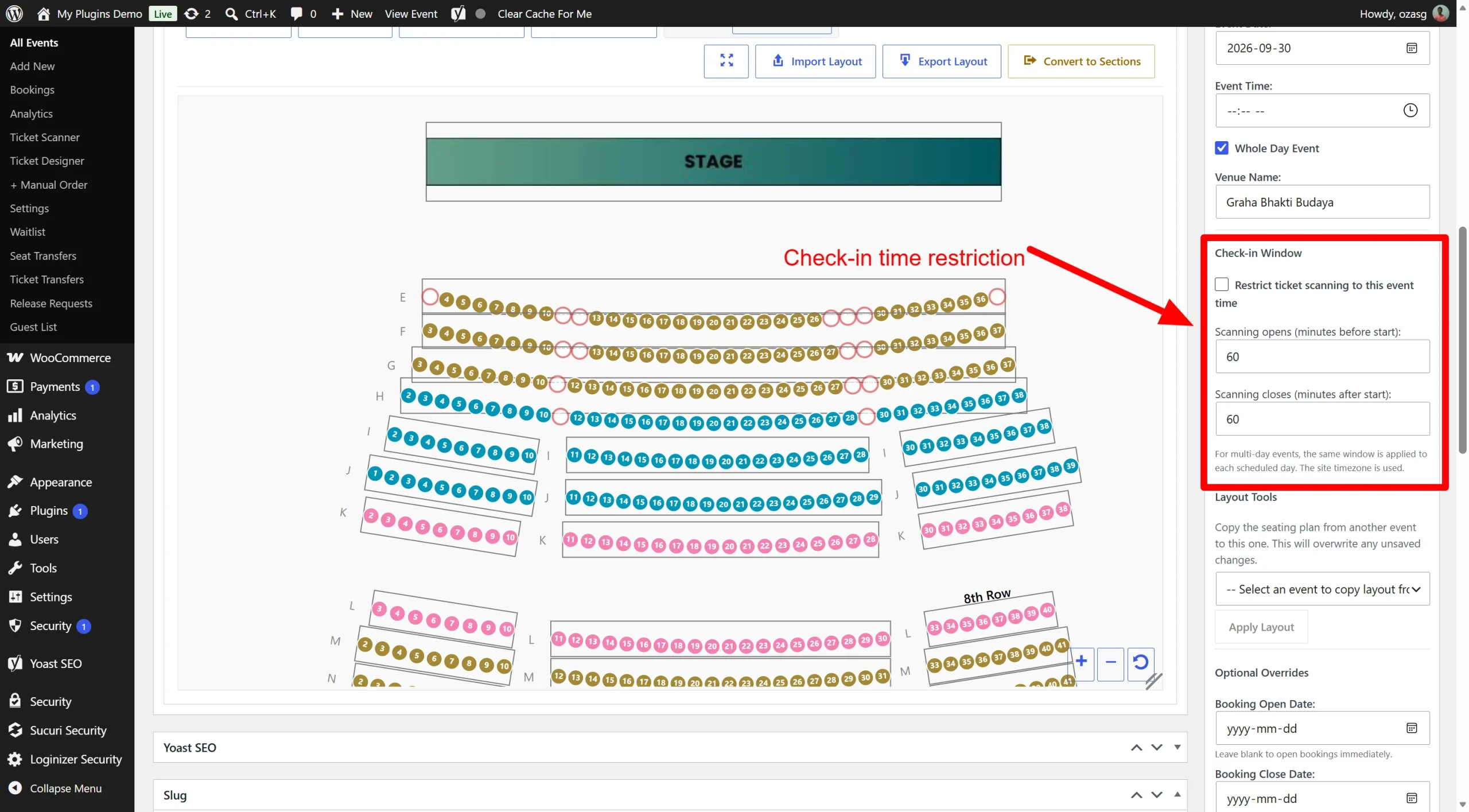
FooEvents is a general-purpose ticketing plugin. Seating is one of several add-ons (alongside multi-day events, bookings, POS, and check-in apps). Live Event Seating is built from the ground up for reserved seating. Every feature—curved rows, whole-table booking, seat holds, sections—exists to solve the seating problem.
If you just need basic tickets, FooEvents works. If you’re selling assigned seats, Live Event Seating gives you more control with less setup.
Pricing Comparison
FooEvents sells its plugins as bundles or individual extensions. Pricing varies by license type and which modules you need.
FooEvents | Live Event Seating | |
|---|---|---|
| Entry price | ~$139 (Basic Bundle, 1 site) | $49.99/year (Starter) |
| Seating included? | Separate add-on module | ✅ Core feature |
| Per-ticket commission | 0% | 0% |
| License type | Annual subscription | Annual subscription |
| Money-back guarantee | 14 days | 14 days |
FooEvents pricing based on published Basic Bundle rates. Live Event Seating pricing from our own plans.
Seating Feature Comparison
| Feature | FooEvents | Live Event Seating |
|---|---|---|
| Interactive seat map | ✅ (add-on) | ✅ Core |
| Drag-and-drop builder | ✅ | ✅ |
| Curved seat rows | Limited | ✅ Slider control |
| Whole-table booking | ❌ | ✅ Built-in |
| Sections (balcony, pit, VIP) | ✅ | ✅ |
| Seat holds / kill seats | ✅ (10-min hold) | ✅ Customizable timer |
| Waitlist system | ❌ | ✅ Built-in (Pro) |
| Self-service seat transfers | ❌ | ✅ Included (Pro) |
| QR check-in scanner | ✅ (separate app) | ✅ Included in Pro |
| Seat & table add-ons | ❌ | ✅ Included (Pro) |
| Accessibility/ADA marking | ✅ | ✅ |
| Group bookings | ✅ (seat grouping) | ✅ Auto seat picker |
| GA areas with capacity | ❌ | ✅ Included (Pro) |
FooEvents seating features from official documentation
When FooEvents Makes Sense
- You already use FooEvents for ticketing. If you’re invested in the FooEvents ecosystem, adding their seating module keeps everything in one place.
- You need POS features. FooEvents offers a Point of Sale plugin for in-person sales—useful for box offices.
- You want a check-in mobile app. FooEvents has a free iOS/Android check-in app that works independently of the seating module.
- You sell a mix of seated and general admission events. FooEvents is more flexible if seating is only part of what you do.
When Live Event Seating Makes Sense
- Assigned seating is your priority. Every feature is designed for venues that sell specific seats.
- You want seating included at a lower price point. Live Event Seating Starter starts at $49.99/year and includes the core seating builder.
- You need whole-table booking. Perfect for galas, corporate tables, and weddings.
- You want a built-in waitlist. Captures sold-out demand automatically.
- You want seat transfers without support tickets. Customers can swap seats themselves.
- You want everything in one plugin. No separate modules to purchase and configure.
See How We Compare to Other Platforms
- Live Event Seating vs Eventbrite →
- Live Event Seating vs SeatLayer →
- Live Event Seating vs Event Tickets Plus →
- Back to all comparisons →
Ready to Stop Paying Per Ticket?
Get Live Event Seating — from $49.99/year →
Or try the free Lite version first.