

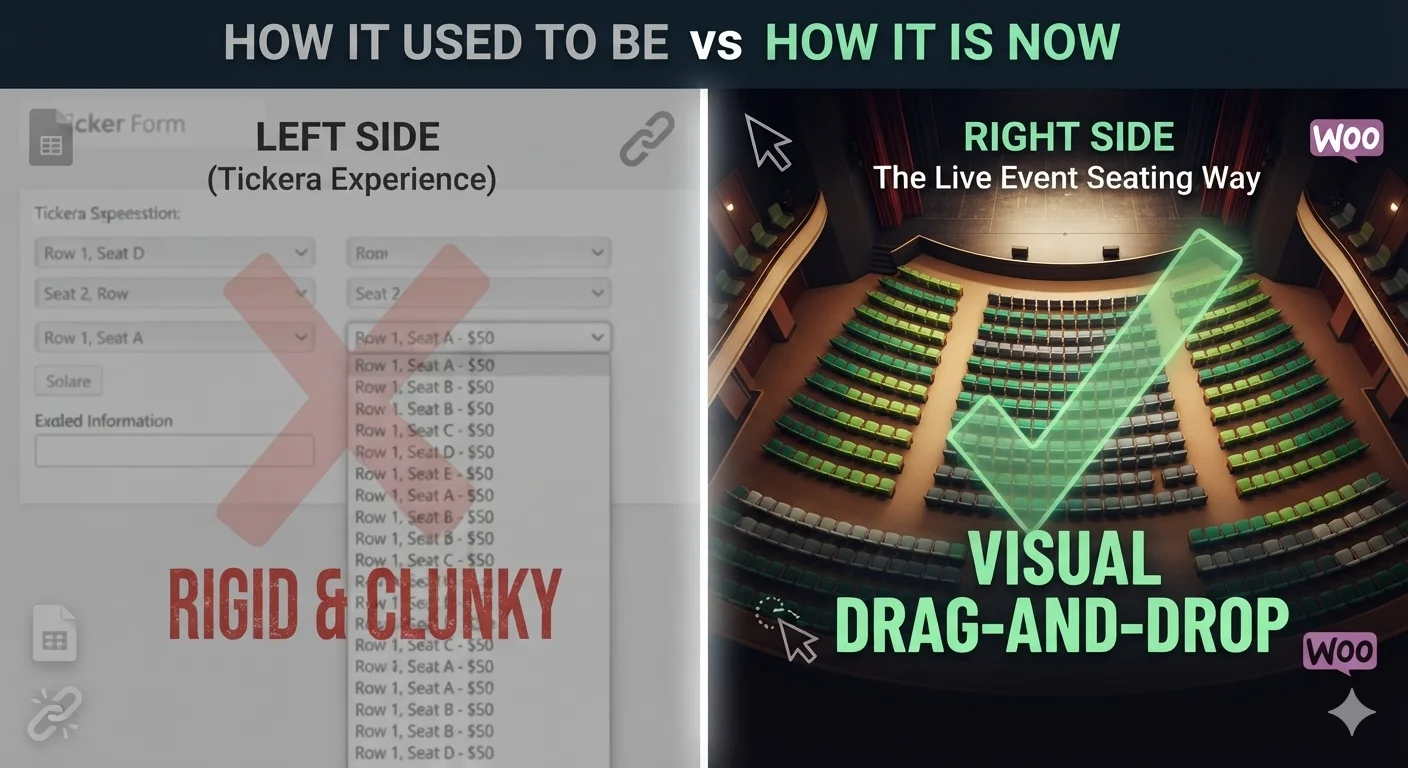
Tickera is a well-known WordPress ticketing plugin, but when it comes to reserved seating, many venue organizers hit a wall. Users frequently report clunky seat-selection workflows, orders bypassing seat selection entirely, and the need to purchase multiple expensive add-ons just to get a basic floor plan. If you are looking for a Tickera seating chart alternative that offers a true, visual drag-and-drop seating chart without the headaches, you are in the right place. This comparison breaks down exactly why hundreds of event organizers are switching to Live Event Seating.
The Bottom Line
In this comparison, the difference is clear: Tickera is primarily a general ticketing plugin that treats seating as an afterthought, often requiring complex workarounds.
Live Event Seating is built from the ground up as a dedicated visual WordPress seating chart plugin. It features a true drag-and-drop venue builder, “Smart Seat Lock” technology to prevent double-bookings, and a flat annual fee with 0% commission on every ticket you sell.
If you sell assigned seats for theaters, galas, conferences, or stadiums, Live Event Seating provides the robust, native WooCommerce experience that generic ticketing plugins lack.
Seating Chart Plugin Comparison: Head-to-Head
| Feature | Tickera | Live Event Seating |
|---|---|---|
| Visual Seat Map Builder | ❌ Limited / Requires complex add-ons | ✅ True Drag-and-Drop Builder |
| Prevent Double Bookings | ❌ Prone to cart-bypass bugs | ✅ Smart Seat Lock (locks seat in cart) |
| Commission Fees | ✅ 0% (but add-ons cost extra) | ✅ 0% Flat Annual Fee |
| Venue Templates | ❌ None | ✅ Theater, Wedding, Conference, Stadium |
| QR Code Check-in | ⚠️ Requires separate mobile app/add-on | ✅ Built-in Web-Based Scanner |
| Waitlist & Seat Transfers | ❌ Not available | ✅ Included in Pro |
| Native Integrations | Basic WooCommerce | ✅ WooCommerce, The Events Calendar, Events Manager |
Why Venues Are Switching from Tickera
Across WordPress support forums and event planning communities, three major themes drive organizers away from Tickera and toward Live Event Seating:
1. True Visual Drag-and-Drop vs. Rigid Workarounds
Tickera’s approach to seating often relies on rigid grids or requires developers to write custom code to match a real-world venue. Live Event Seating gives you a WYSIWYG (What You See Is What You Get) builder. You can draw curved theater rows, resize banquet tables, add orchestra pits, and even use the “Kill Seat” tool to hide obstructed views. You can build a pixel-perfect digital twin of your venue in minutes, not days.
2. The “Smart Seat Lock” Prevents Double-Booking Nightmares
One of the most common complaints on the Tickera support forums is that orders complete in WooCommerce without forcing the user to select a seat. This leads to disastrous double-bookings. Live Event Seating solves this with a Smart Seat Lock. The millisecond a customer adds a seat to their cart, it is temporarily reserved and grayed out for everyone else. If the timer expires, the seat is automatically released back to the public map.
3. No Hidden Add-On Costs
While Tickera’s base plugin is free, unlocking advanced features (like complex seating, specific gateways, or premium support) requires purchasing multiple separate extensions. Live Event Seating Pro is a single, flat annual fee ($194.99/year) that includes the visual builder, QR scanner, waitlist system, seat transfers, and unlimited events.
Quick Fee Comparison: The True Cost of Ticketing
Here is what selling tickets costs you annually on each platform. (Note: Both are self-hosted, so standard payment processing of ~2.9% applies to both, but platform fees differ drastically).
| Tickets Sold | Avg Price | Tickera (Base + Add-ons) | Live Event Seating Pro | You Keep More With Us |
|---|---|---|---|---|
| 1,000 | $25 | ~$249+ (plus add-on costs) | $194.99 | $54+ |
| 5,000 | $50 | ~$249+ (plus add-on costs) | $194.99 | $54+ |
| 10,000 | $75 | ~$249+ (plus add-on costs) | $194.99 | $54+ |
Unlike SaaS platforms (Eventbrite, Ticket Tailor) that charge per ticket, both Tickera and Live Event Seating are self-hosted. However, Live Event Seating includes all advanced seating features in one flat price, whereas Tickera often requires stacking multiple paid extensions to achieve the same functionality.
👉 Calculate your exact Eventbrite/SaaS fees here →
Frequently Asked Questions
Yes. Because both plugins run on WordPress and WooCommerce, your customer data and products remain intact. You simply create a new event in Live Event Seating, build your visual map, and link it to your existing WooCommerce ticket products. Future events will run seamlessly on the new system.
Absolutely. Live Event Seating is designed to be a native WooCommerce extension. It uses your existing Stripe, PayPal, or any other WooCommerce payment gateway. You keep 100% of the ticket revenue (minus standard payment processing).
Yes! Live Event Seating Lite is available for free on WordPress.org. It includes the visual drag-and-drop builder and a complete RSVP/free ticket system. You can test the builder risk-free and upgrade to Pro when you are ready to sell paid tickets with advanced features like the QR scanner and waitlist.
Yes. If you don’t want to spend time using the builder, we offer a Done-For-You Setup for a flat fee of $299. Send us your PDF floorplan or sketch, and our team will build a pixel-perfect digital twin of your venue within 48 hours.
See How We Compare to Other Platforms
- Live Event Seating vs SeatKit →
- Live Event Seating vs SeatReg →
- Live Event Seating vs SeatLayer →
- Live Event Seating vs FooEvents →
- Live Event Seating vs Event Tickets Plus →
- Back to all comparisons →
Ready to Upgrade Your Venue’s Seating Experience?
Stop fighting with clunky ticketing workarounds. Give your attendees the premium, “click-to-pick” experience they deserve.
👉 Get Live Event Seating Pro — $194.99/year →
Or try the free version first:
👉 Download Live Event Seating Lite on WordPress.org →
Need Help? Chat with us on WhatsApp
The team typically replies in a few minutes.